Bahana App - Application Screens

This document describes the current React Native application structure and all available screens.

Application Summary

Bahana App helps users discover, generate, save, favorite, and share "bahana" (excuse) lines. The app uses bottom tab navigation with a nested stack for each tab. It supports localization (English, French, Hindi), offline persistence, and ad placements.

Main entry flow: App startup -> navigation container -> tab and stack navigators.

Top-Level Navigation

Home Tab Category Tab My Bahana Tab Settings Tab

The Settings tab contains additional stack screens: Language Select, Terms, Privacy, and About.

Visual Navigation Diagram

App Navigator Home Tab Category Tab My Bahana Tab Settings Tab Home Screen Category Screen My Bahana Screen Settings List Language Terms Privacy About

All Screens

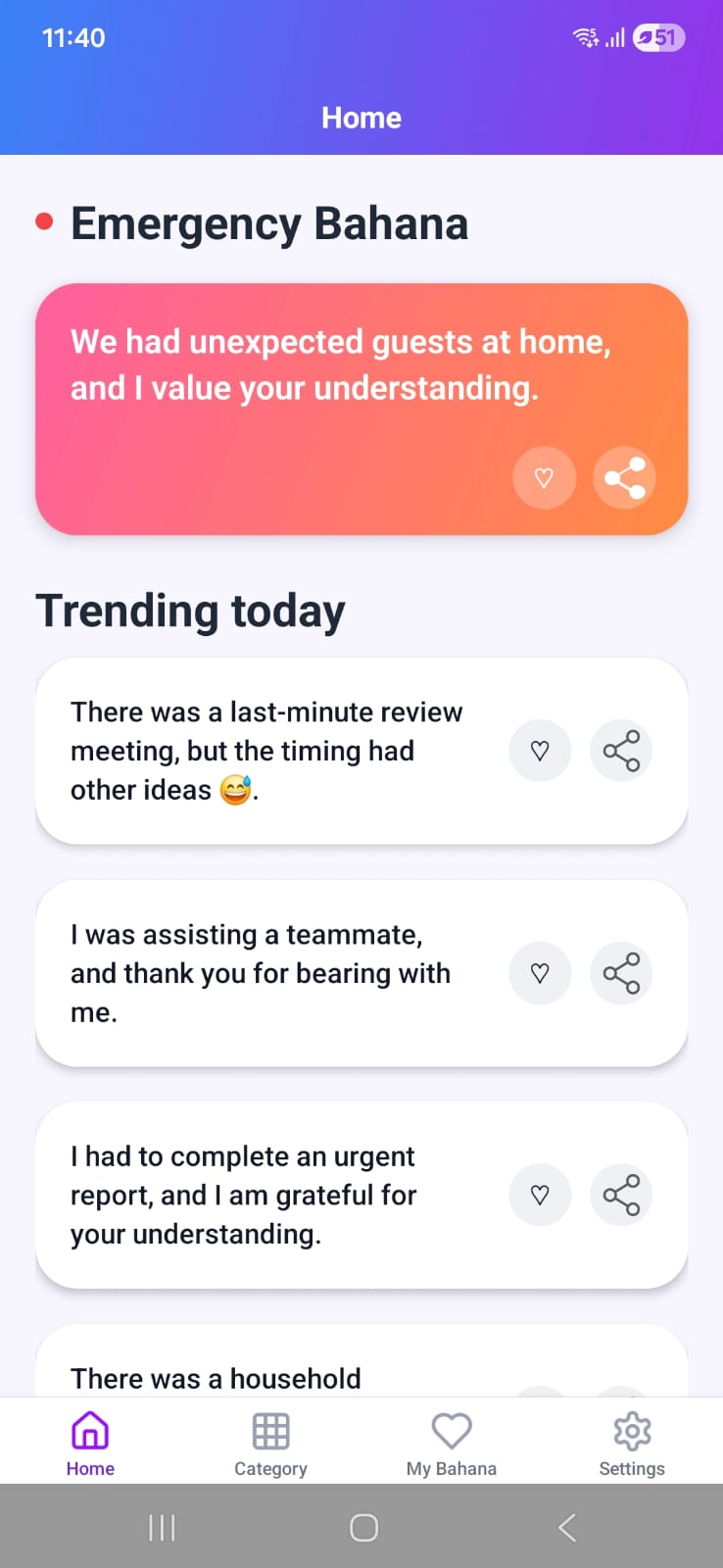
HomeScreen

HomeScreen screenshot
  • Shows one featured "Emergency Bahana" and multiple "Trending Today" items.
  • Allows favoriting and sharing each displayed item.
  • Uses confetti and rotates items with persisted queue logic.

CategoryScreen

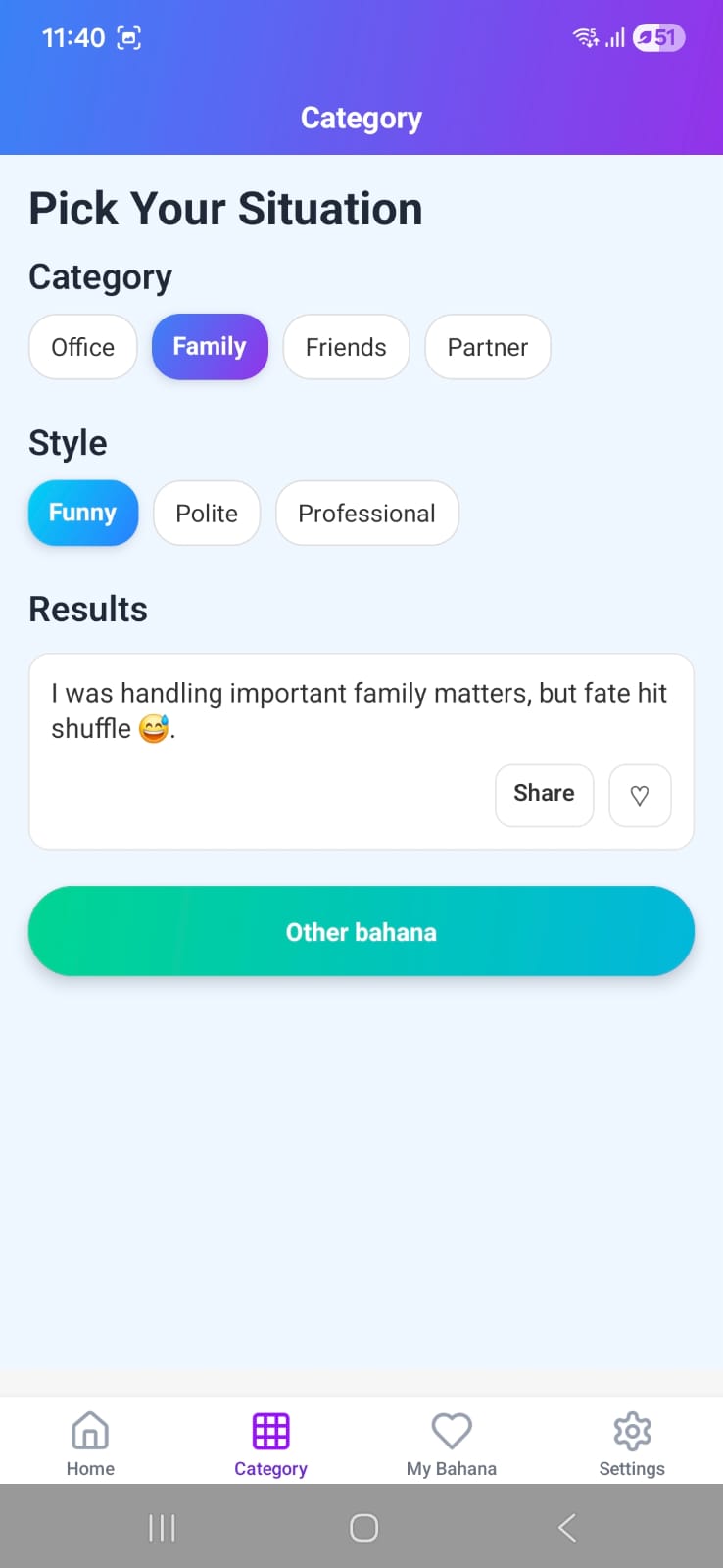
CategoryScreen screenshot
  • Lets users filter bahana by category (Office, Family, Friends, Partner).
  • Lets users choose style (Funny, Polite, Professional).
  • Shows one result at a time with options to favorite, share, and fetch another.

MyBahanaScreen

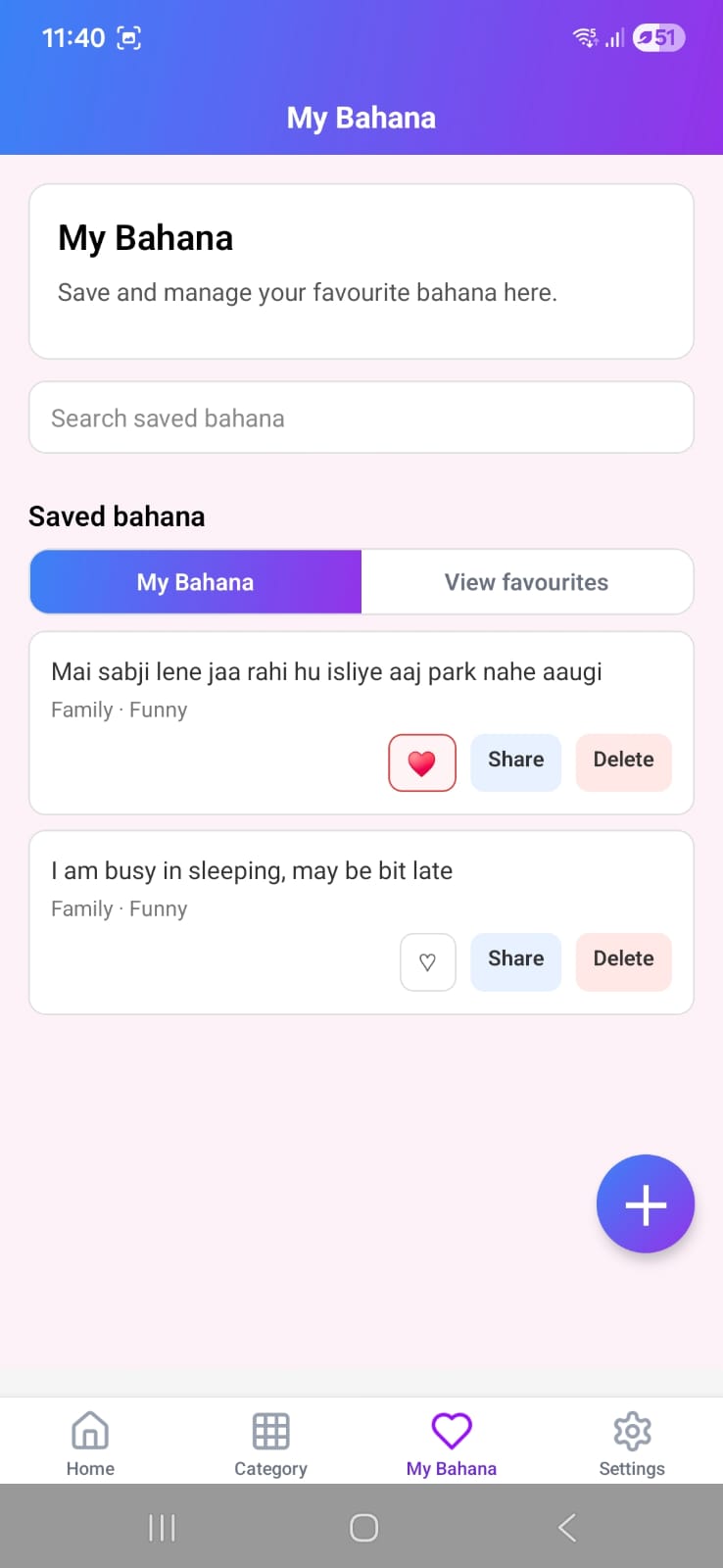
MyBahanaScreen screenshot
  • Allows users to create their own bahana via a modal form.
  • Supports search, favorites-only mode, share, and delete actions.
  • Merges custom entries and favorite built-in entries in one place.

SettingsListScreen

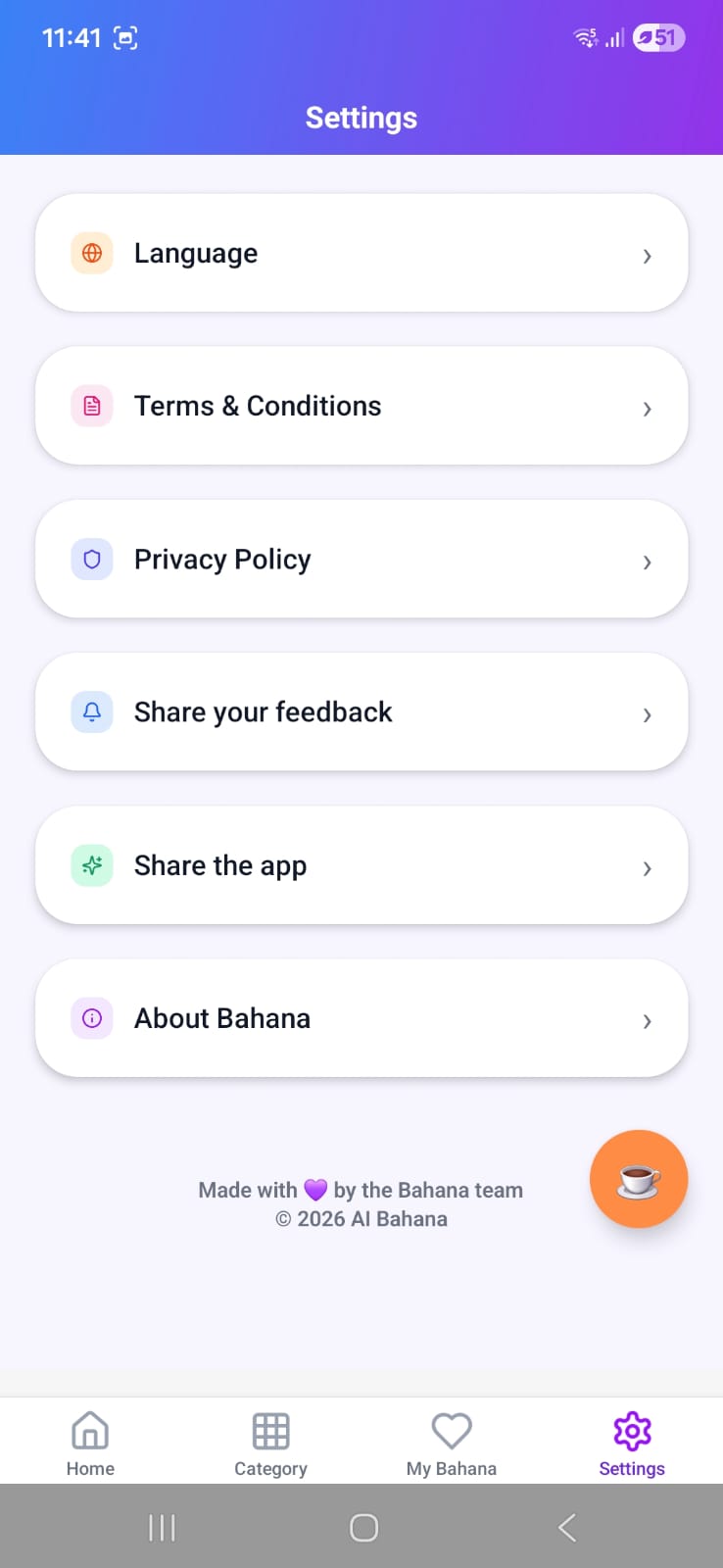
SettingsListScreen screenshot
  • Main settings list for language, terms, privacy, feedback, and sharing app.
  • Includes About navigation and donation/coffee modal with UPI copy action.
  • Displays footer notes and ad banner.

LanguageSelectScreen

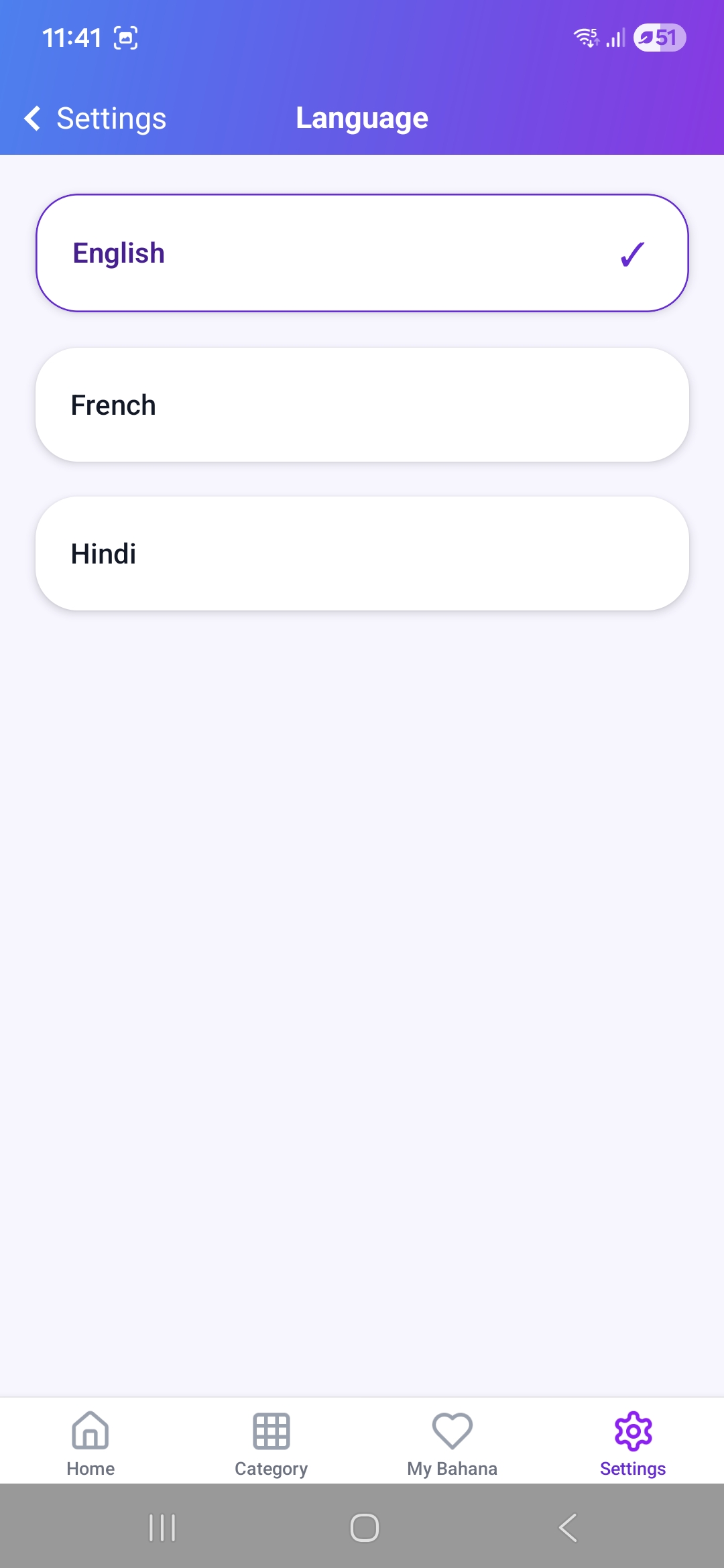
LanguageSelectScreen screenshot
  • Lets users switch application language.
  • Current language is highlighted with a checkmark.
  • Available options: English, French, Hindi.

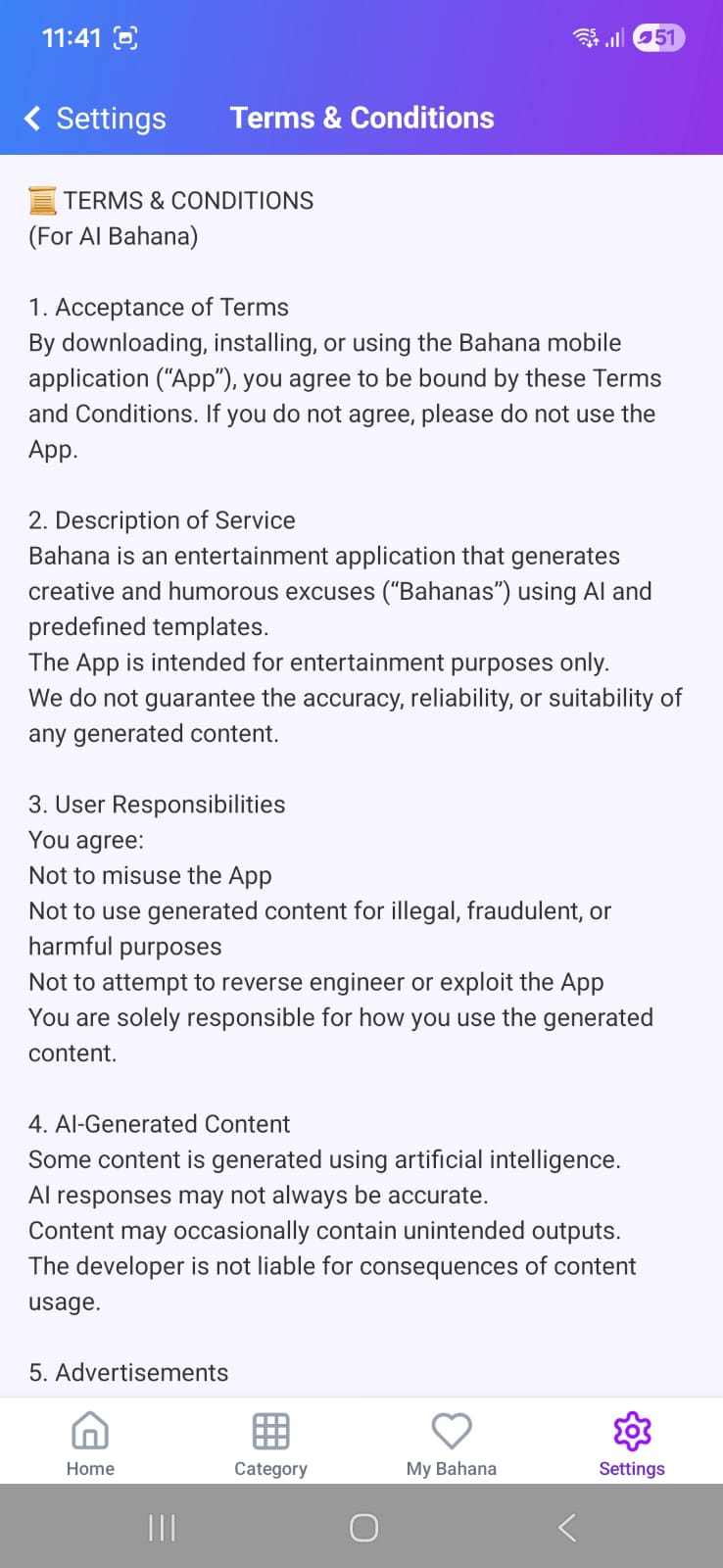
TermsScreen

TermsScreen screenshot
  • Displays terms and conditions text from localization resources.
  • Simple scrollable text layout.

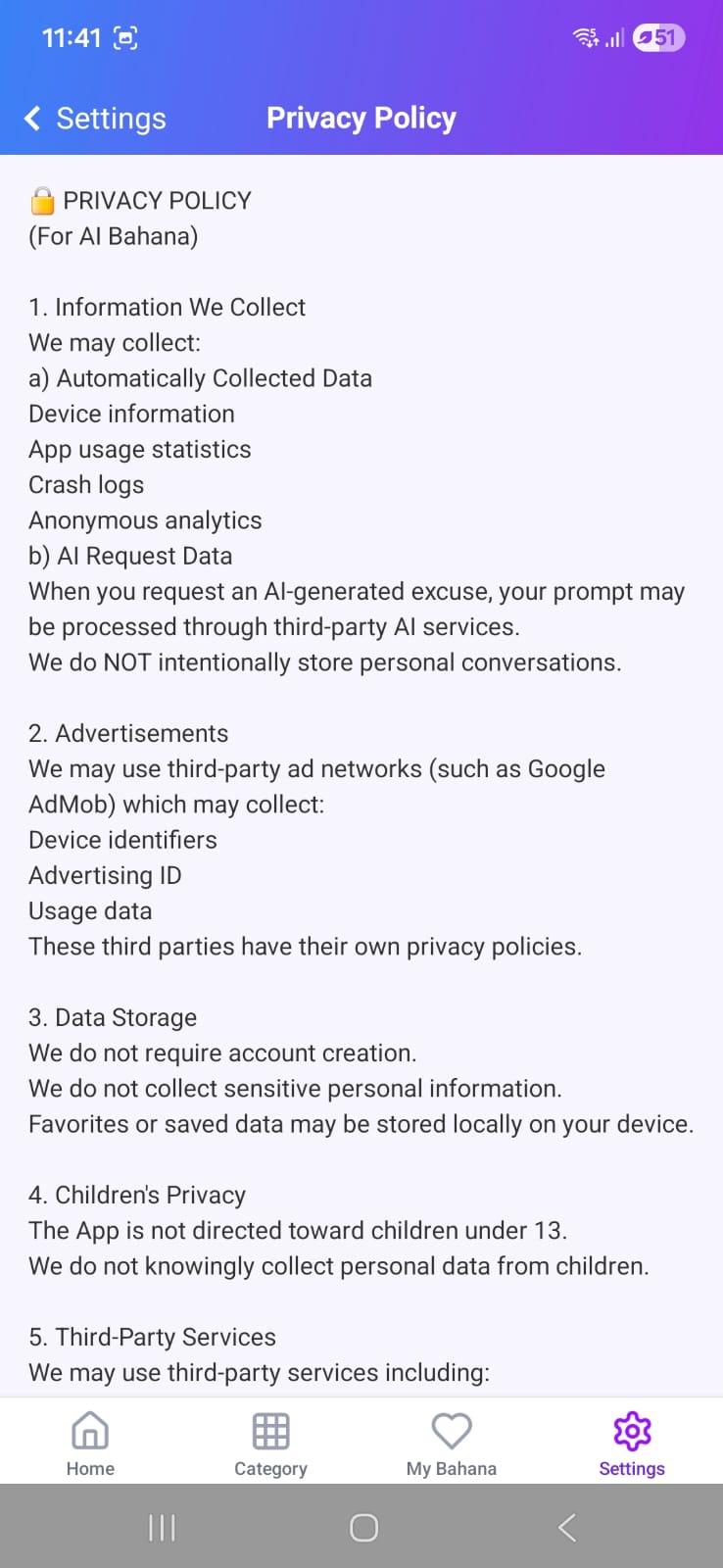
PrivacyScreen

PrivacyScreen screenshot
  • Displays privacy policy text from localization resources.
  • Simple scrollable text layout.

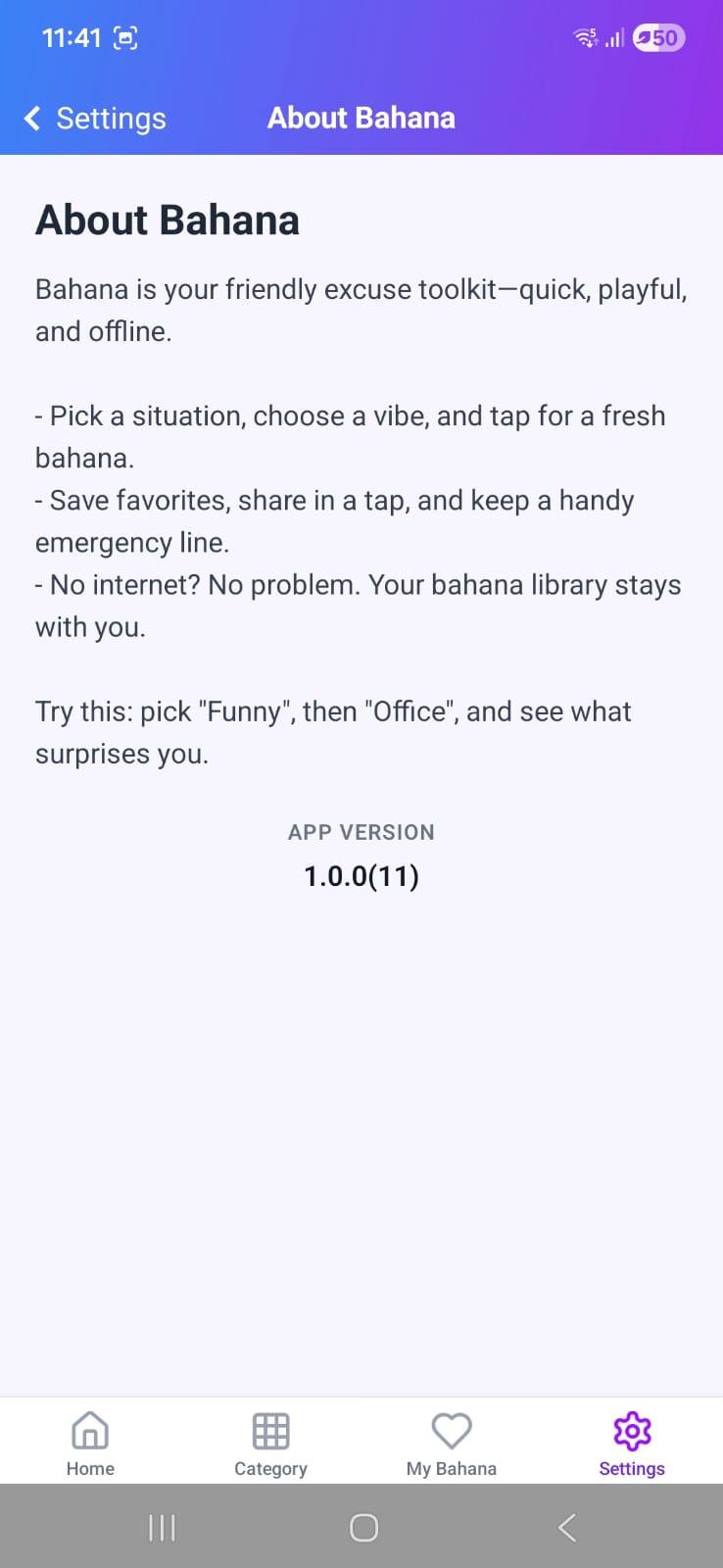
AboutScreen

AboutScreen screenshot
  • Shows app description and "About" content.
  • Displays the current app version.